
Laces is event registration and ticketing software, made in Kampala by Apta Innovations Limited and found at laces.run. Organizers use it to publish an event page, sell tickets, check people in with QR codes and withdraw what they earn. If you searched for “Laces software”, “the Laces application” or “the Laces program”, this is the same product.
What does Laces do?
Laces puts the whole registration job in one place, so an organizer is not running a form, a phone number and a spreadsheet side by side. It covers:
- An event page. Every event gets its own short link and QR code, for WhatsApp, social media and posters.
- Tickets. Offer as many ticket types as you need, each with its own price and number of places. Free tickets work too.
- Your own questions. Ask for what you need at registration, such as allergies or an emergency contact, and read the answers on each order in the app.
- Checkout. Participants pay by mobile money, and by card in Uganda.
- Tickets and receipts by email. Every participant gets a QR ticket and a receipt.
- Check-in. Scan the QR with the Laces app to confirm it is paid and check the person in. You can invite your team to scan at the door.
- Live numbers. Watch registrations and sales come in from the app, see who has paid, and download your paid participant list as CSV or your orders as CSV, Excel or PDF.
Who is Laces for?
Laces is for anyone running an event people sign up for. That includes runs and marathons, charity walks, camps and retreats, workshops and masterclasses, fitness and dance classes, conferences, concerts, festivals, cycling events, triathlons, book clubs and community meetups. The name makes some people assume it is only for runners, and it is not.
There are two sides to it. Organizers set up and run the event. Participants register and pay. You can read how each type of event uses it.
How does Laces work from start to finish?
For an organizer, it goes like this:
- Get the app, then create your account and your organization.
- Create the event: its name, place and dates, then at least one ticket.
- Apply for payment clearance from the Earnings tab, so your organization can collect money. A person at Laces reviews this, so do it early.
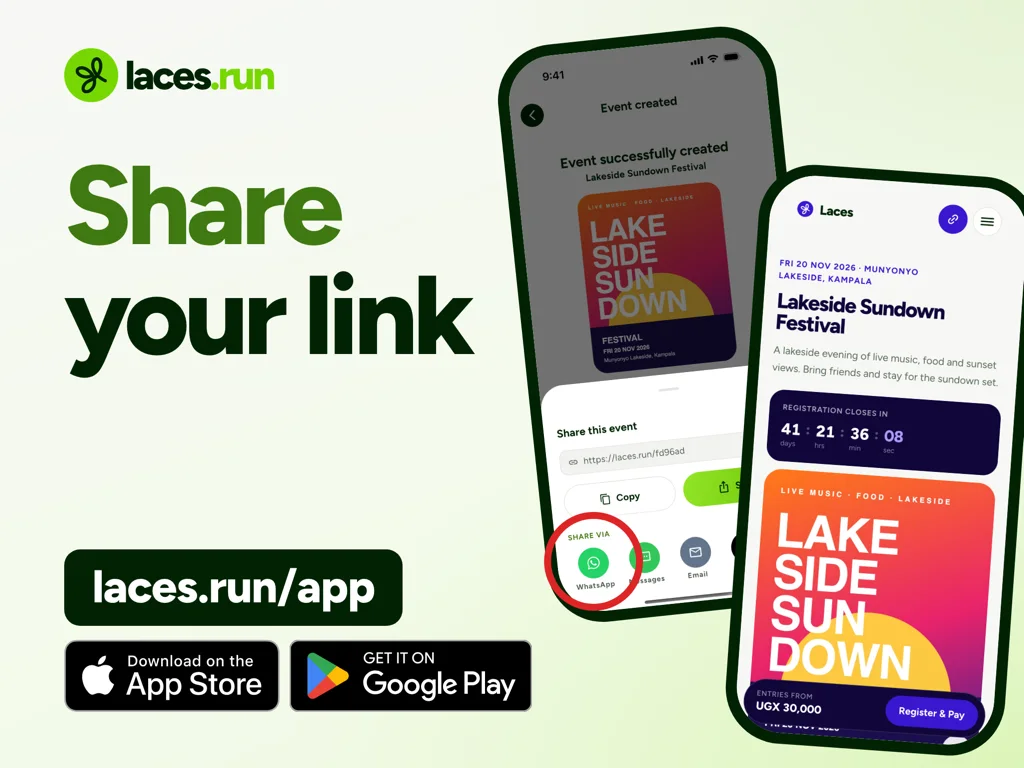
- Share the event link or QR code.
- Follow orders and earnings in the app, and scan tickets on the day.
The step-by-step guide to creating an event has a screenshot for each stage.
For a participant, it is shorter. They open the link in a browser, pick a ticket, enter their details and pay. Mobile money sends a prompt to their phone and they approve it with their PIN. Their ticket then arrives by email. There is a full walkthrough for participants you can send to anyone who gets stuck.
Is Laces an app or a website?
Both, and each side uses a different one.
Organizers use the Laces app. The link laces.run/app sends an Android phone to Google Play, an iPhone to the App Store and a computer to the web version, which is the same organizer app with nothing to install. You do not need a laptop to run an event.
Participants never need the app. They register and pay from the event link in a browser, with no app to install and no account to create.
What does Laces cost?
Laces is free for organizers. There is no signup fee, no subscription and no listing fee, and creating an event costs nothing.
When a participant pays, a single Laces Service Fee is added at checkout, on top of your ticket price. The participant sees it as its own line before they enter a PIN. You receive the full ticket price. Free events are free to host, for you and for your guests.
The other cost to know about is withdrawals. Your first withdrawal per organization is free. After that, each one carries a transfer fee set by country, charged by the providers that move the money, and shown before you confirm. Current figures are on the pricing page.
How does the money reach an organizer?
Sales build up as earnings in the app, and you withdraw them to mobile money or a bank account. You do not wait for your event to finish to withdraw what has cleared. In Uganda, the timing depends on how the participant paid:
- MTN MoMo lands in your Instant Wallet, withdrawable immediately, any day of the week.
- Airtel Money lands in your Standard Wallet and is available the next day.
- Card lands in your Standard Wallet and is available the next day.
Where does Laces work?
Laces works in five countries, each with its own currency and local payment methods:
- Uganda: MTN MoMo, Airtel Money and cards (Visa, Mastercard, American Express, Verve, AfriGO)
- Kenya: M-Pesa and Airtel Money
- Ghana: MTN MoMo, Telecel Cash and AT Money
- Rwanda: MTN MoMo and Airtel Money
- Zambia: MTN MoMo, Airtel Money and Zamtel Kwacha
What should you know before you commit?
A few limits are better heard now than the week of your event:
- A new organization cannot take money straight away. Until Laces clears it, your event page shows in full but people cannot pay. Apply early.
- Tickets travel by email. There are no SMS or WhatsApp tickets, so participants need an email address they can open. The ticket page also appears at once after payment.
- Refunds come from you. You can set your event’s refund policy (without one, the Laces refund policy applies), and you fund refunds if you cancel, so think twice before spending ticket money ahead of the event.
Who is behind Laces?
Laces is a product of Apta Innovations Limited, a private company incorporated in Uganda and based in Kampala. It was founded by Mugisa Brian Cephas. The registered details and the team are on the About page.
Frequently asked questions
Is Laces free to use?
Yes, for organizers. Creating and listing an event is free. Participants pay the service fee at checkout, and withdrawals after your first carry a transfer fee.
Is Laces only for races?
No. Running is one event type among many, alongside conferences, concerts, camps, workshops and more.
Do participants need to download anything?
No. They register and pay in a phone browser, with no app and no account.
Is Laces a shoe or shoelace brand?
No. Laces is event software at laces.run, for every kind of event. The bow in the logo is a nod to the knot you tie before a start line.
Try Laces on your next event
Get the app, create your event and share the link when you are ready. Your participants need nothing but a phone browser.
Read next
 For organizersLaces Fees Explained: Ticket Prices, Service Fees and WithdrawalsThe Laces fee explained: what organizers pay, what participants pay at checkout, worked examples, withdrawal costs and what happens to fees on a refund.4 Nov 2026 · 6 min read
 For participantsHow to Register for an Event on Laces: Step-by-StepHow to register for an event on Laces: the details you enter, how to pay, where your ticket goes, and what to do if something goes wrong. No app needed.4 Nov 2026 · 6 min read
 For organizersHow to Sell Event Tickets Online in Uganda Using Mobile MoneySell event tickets online in Uganda: set up your tickets, get cleared to collect mobile money, share one link, scan at the door and withdraw your earnings.4 Nov 2026 · 6 min read


