
To organize an event in Uganda, decide who it is for and what success looks like, then build a budget from real quotes, confirm your venue and approvals, open registration on one link, and plan event day around check-in. Afterwards, match every shilling to a person. This guide works through each stage for any kind of event, from a workshop to a concert.
1. Write a one-paragraph brief
Before you phone a venue, write down the answers to these questions. Everyone you later work with will need them.
- What is the event for? A fundraiser, a training and a concert succeed in different ways.
- Who should come, and how many? Give a low figure and a high figure.
- Where will they come from? This affects the venue, the start time and transport.
- What does success look like? It could be money raised, seats filled or leads collected.
- Who makes the final decisions? Name one person.
2. Build a budget from real quotes
List your costs in two groups, and get written quotes for the big ones.
Fixed costs stay the same however many people come: venue, sound, stage, security, permits, medical cover, printing and promotion.
Per-person costs grow with every ticket: meals, T-shirts, badges or materials.
Then work out your break-even. Here is the sum with round numbers, which are only there to show the method. Use your own quotes.
- Fixed costs: UGX 6,000,000
- Ticket price: UGX 50,000
- Cost per person: UGX 10,000
- What each ticket contributes: UGX 40,000
- Tickets needed to cover costs: 6,000,000 ÷ 40,000 = 150
If 150 feels out of reach, change the plan now. Cut a fixed cost, raise the price, or find a sponsor. Add a contingency line as well.
Plan for when the money arrives
Your vendors will want deposits before event day, so timing matters as much as totals. On Laces in Uganda:
| Paid by | Goes to | When you can withdraw |
|---|---|---|
| MTN MoMo | Instant Wallet | Immediately, any time |
| Airtel Money | Standard Wallet | The next day |
| Card | Standard Wallet | The next day |
Spending ticket money early carries a risk, because cancelling leaves you owing every participant, even for sums already withdrawn and spent. Our guide to taking payments and getting paid explains how that works.
3. Confirm the venue and approvals
Approvals depend on the event, the place and the crowd size, so we won’t give you a generic list. Ask these people directly and get the answers in writing:
- The venue: capacity, closing time, noise limits, what it provides, and whether it needs anything from you first.
- The local authorities: whether your event needs permission, and from which office.
- The police: whether you need crowd or traffic support, especially if your event uses a road.
- A professional adviser: for anything involving alcohol, children, large crowds or public fundraising.
Leave time for this. Do not print a date you have not secured.
4. Open registration on one link
Your event page should answer what people ask most: what, when, where, how much, what the ticket includes, and what happens if they cannot come.
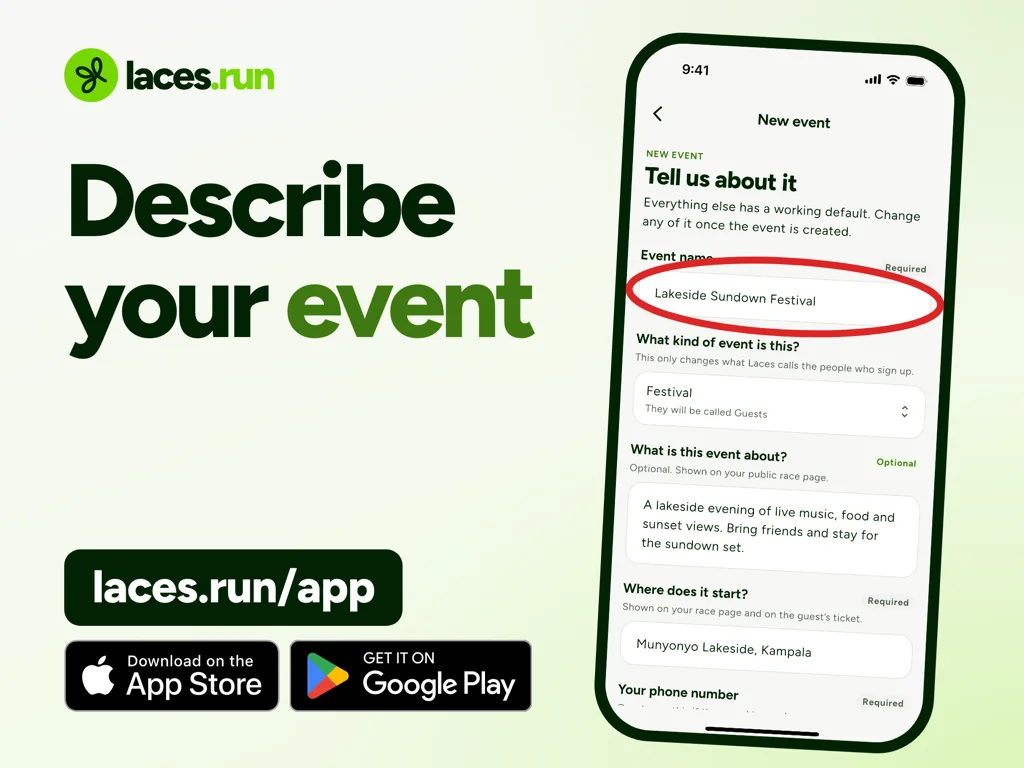
On Laces you do this from your phone in the organizer app. You name the event, choose its kind, add a venue, then add tickets with a name and a price. Each ticket type can have its own number of places.
Three things to do early:
- Get cleared for payments. Your page can go live before your organization is cleared, but participants cannot pay until it is. A person at Laces reviews this, so apply as soon as you have created the organization.
- State a refund policy you will honour. Write it in your event description. If you don’t set one, the Laces refund policy applies to your event. “Non-refundable, but transferable once” is a complete policy if it is true.
- Go through checkout yourself on a phone, using mobile data rather than office wifi. You will find something to fix.
For your budget, using Laces itself costs you nothing. The service fee sits on top of your price and falls on the participant, so each ticket brings you its full price. Withdrawals are the one exception: the first per organization is free, then each carries a transfer fee. See the figures for Uganda.
5. Promote with one destination
Put the same link in every WhatsApp group, social post, email and poster. Every Laces event gets a short link and a QR code. If people can pay in several places, you will spend your evenings matching payments to names again.
Send people to the event page rather than to a personal mobile money number. A payment to a personal number cannot be matched to a registration, and that is how the screenshot chase starts.
6. Plan event day around the door
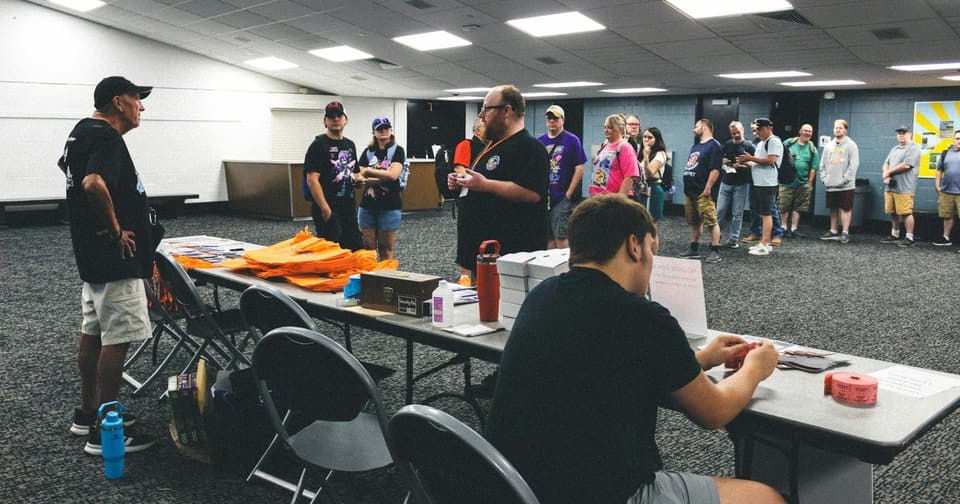
Queues form at the entrance first, so give that job the most thought.
- Split check-in from help. One person scans. A different person handles questions and problems.
- Prepare the scanning phones the day before. You and anyone you invite can scan tickets in the Laces app. Each scan checks the ticket online, so test the data connection at the venue.
- Have a fallback. People forget phones and screens crack. A ticket can also be found by its order code.
- Decide about cash now. Laces does not record cash. If you accept it at the door, keep a separate signed list and reconcile it yourself. Late arrivals can also register and pay on their own phone from your link or QR code.
- Brief your team on payment problems. “No prompt came” is the most common one. People can dial their network’s menu and approve the pending request.
Our community events page shows how this works for meetups and gatherings.
7. Close out the same week
While you still remember the details, do the following:
- Match paid orders against your own arrival tally and cash record.
- Add up income, costs, refunds and withdrawals in one sheet. You can download orders as CSV, Excel or PDF and your paid participant list as CSV from the app.
- Pay your vendors and keep the receipts.
- Thank the people who came, and ask two or three short questions about their experience.
- Write one page on what to change next time. A short report also helps when you approach sponsors for the next edition.
For a closer look at costs, read how much it costs to organize an event in Uganda.
Frequently asked questions
When should tickets go on sale?
As soon as your date, venue, price and refund policy are firm. Apply for payment clearance before that, so you are not waiting on it when you are ready to sell.
Do I need registration software for a small event?
Not always. For a dozen people you know, a list may do. It becomes useful once matching payments to names by hand takes up your evenings.
Can volunteers run check-in?
Yes. Invite them to your organization in the Laces app. You can limit a volunteer to one event, and volunteers do not see your revenue.
Does it cost anything to use Laces for a free event?
No. Free events cost nothing, to you or your guests.
Ready to open registration?
Create your event in the Laces app, get cleared for payments, and share one link with everyone.
Read next
 For organizersHow Much Does It Cost to Organize an Event in Uganda?How much an event costs in Uganda depends on your own quotes. Use this method to budget fixed and per-person costs, find break-even and plan your cash flow.4 Nov 2026 · 6 min read
 For organizersHow to Increase Event Registrations and Ticket SalesHow to increase event registrations: a clear offer, one link, real deadlines, partners who share, an easy phone checkout and follow-up on failed payments.5 Nov 2026 · 7 min read
 For organizersHow to Manage Event Registrations, Payments and Attendance in One PlaceHow to run event registrations, payments and attendance from one record: the workflow, team access, numbers to track, exports and handling exceptions.4 Nov 2026 · 6 min read


