
To stop fake and duplicate tickets, sell from one official link, check each ticket against a live record at the door, and train staff on what to do when the same ticket comes back. A made-up ticket is the easy case, because a scan finds nothing. A copy of a real ticket is the hard case, and no QR code solves that alone.
Separate four different problems
People say “fake ticket” about four different things, and each has a different fix.
| What’s in front of you | What a Laces scan shows | What stops it |
|---|---|---|
| A made-up or edited QR code | “No ticket for that code”, or “Not a Laces ticket” | The scan itself |
| A real ticket for a different event | “No ticket for that code” | The scan itself |
| A ticket that wasn’t paid for, or was refunded | “Payment not complete”, or “Entry cancelled” | The scan itself |
| A copy of a real, paid ticket | Green, with the name on the ticket, and a “Checked in” time if it was already used | Your staff |
The first three mostly take care of themselves, as long as the phone has data. The rest of this article is mostly about the fourth.
What a QR code proves, and what it doesn’t
A QR code isn’t proof of anything by itself. It’s just a pointer. On today’s Laces tickets, it holds a link with the order code. It holds no names and no payment details.
Security comes from what happens next. The app looks that code up in your event’s records and reports what it finds. That has some useful results:
- Editing a ticket doesn’t help. Someone can change the name on a PDF, but the scan shows the name on the record, not the one on the paper.
- Guessing is impractical. Order codes are random, at least 8 characters, and unique.
- Codes don’t cross events. A code from another event finds nothing in yours.
You may hear that QR tickets are “cryptographically signed”. Older Laces tickets do carry a signed token. That signature proves Laces created a token, not that the person holding it paid or is the right person. A screenshot of a signed code is still a perfect copy. The scan screen doesn’t check those older codes at all. It asks staff to type the order code instead. So don’t count on signatures. Count on the record and the person reading the screen.
Why a screenshot still scans
A QR code on a screen is just a picture, and anyone can copy a picture. If someone sells the same ticket to three friends, all three have a code that works.
Here’s what happens at a Laces gate. The first person scans green, and their arrival is recorded. The second person also scans green, but the screen shows a label like “Checked in 10:42”, the time of that first arrival. It doesn’t turn red. A repeat is treated as information, because people step out and come back, and phones scan twice by accident.
So your duplicate protection is a staff member who notices that label. Teach that in your briefing, and show them a real example. Have someone scan a test ticket twice, so they can see what it looks like.
Three gaps staff should know about
One QR code covers a group order. When one person buys five tickets, every ticket on that order leads to the same code. The scan shows the five names under “Who is this?”, and staff tap one. So a stranger holding a copy could end up being tapped in as someone else on that order, if your staff pick the name for them. The fix is simple: ask for the name first, then find it on the screen. Never turn the list round and let someone choose.
A scan doesn’t check dates. A Saturday-only pass still reads as valid on Sunday. The screen shows the ticket’s name, so staff have to read it. If you sell day tickets, use names that make this obvious, and consider a different wristband for each day.
The time has no date. “Checked in 10:42” shows the clock time, not the day. At a multi-day event, that could mean this morning or yesterday. Tell your staff, especially if your event allows returning on later days.
Door rules that close the gaps
Pick the rules that match the value of your tickets. A free community walk doesn’t need them all.
- Decide your re-entry policy. If people can leave and return, give them a stamp or wristband. Then a “Checked in” label plus a stamp is fine, and a “Checked in” label with no stamp goes to the help desk.
- Match names when it counts. For a high-value ticket, ask for the name on the booking. Ask for ID only if you announced it, and only if your event really needs it. Laces doesn’t check ID, and the scan doesn’t show a photo.
- Send disputes aside. The first person through isn’t always the true owner. Don’t argue in the queue. At the help desk, ask for the order confirmation email, and check whether the name and email fit.
- Decide who wins. Agree in advance what you do when two people hold the same ticket. Laces can’t settle that for you.
- Use one person’s judgement. Name one person who can admit or refuse someone in a disputed case, so scanners never have to.
Stop the copies being sold in the first place
The strongest control comes before the door.
- Say where tickets are sold. Put one official link on your poster, your social pages and every message. Say clearly that tickets sold anywhere else may not work. Our WhatsApp selling guide has wording you can copy.
- Never accept a payment screenshot as proof. On Laces, a ticket appears only after the payment is confirmed. A screenshot of a mobile money message isn’t a ticket.
- Warn people about second-hand tickets. Tell buyers that a ticket bought from a stranger may already have been used, and that you can’t help if it has.
- Ask people not to post their tickets. A photo of a ticket on social media is a usable copy. So is an order code, since anyone with the code can open that ticket’s page. Put that line in your pre-event message.
Duplicate tickets you created by accident
Not every duplicate is fraud. Two kinds come up often.
Someone who paid twice. When a payment seems stuck, people go back and start again, which can create a second order and a second charge. Tell buyers to stay on the payment page and tap Check again, then send the prompt again or change the number there. They shouldn’t restart from the event link. If someone did pay twice, your refund policy applies. If you wrote none in your event description, the Laces refund policy applies.
Free tickets. Anyone with your link can take a free ticket. A cap on the ticket type limits the damage, and a list you check by hand helps where it matters, such as a guest list.
Kit and goodie bags are stricter than entry
Handing over a shirt or a bib works differently. It’s a deliberate tap, and only one handover can succeed. A second attempt on the same item shows “Already collected”, and the attempt is recorded. If you give out anything valuable, this makes a copied ticket far less useful. See our guide to bib and T-shirt collection.
Frequently asked questions
Can someone use the same QR ticket twice?
It will scan twice. The second scan still reads as valid, with a label showing the time of the first arrival. Your staff decide what happens next, so they need to know what that label means.
Can a fake QR code get through?
Not by scanning, when the phone has data. A code that isn’t in your event’s records shows “No ticket for that code”, and a link to somewhere else shows “Not a Laces ticket”. On a paper backup list, you lose this check.
Are Laces QR codes signed?
Today’s tickets hold a link with an order code, and the check is a live lookup. Older tickets carry a signed token, and staff type the order code for those.
Does a scan check ID?
No. It shows the name and ticket type on the record, with no photo. If you need ID, announce it beforehand and have your staff compare it.
What if the real owner arrives after someone with a copy?
Send them to your help desk. They should have the confirmation email at the address used to book, and your named decision-maker can take it from there. Agree how you will handle this before the event.
Sell from one link, check at the door
Creating an event on Laces is free for organizers. Every sale goes through your link, and every scan reads the same record.
Read next
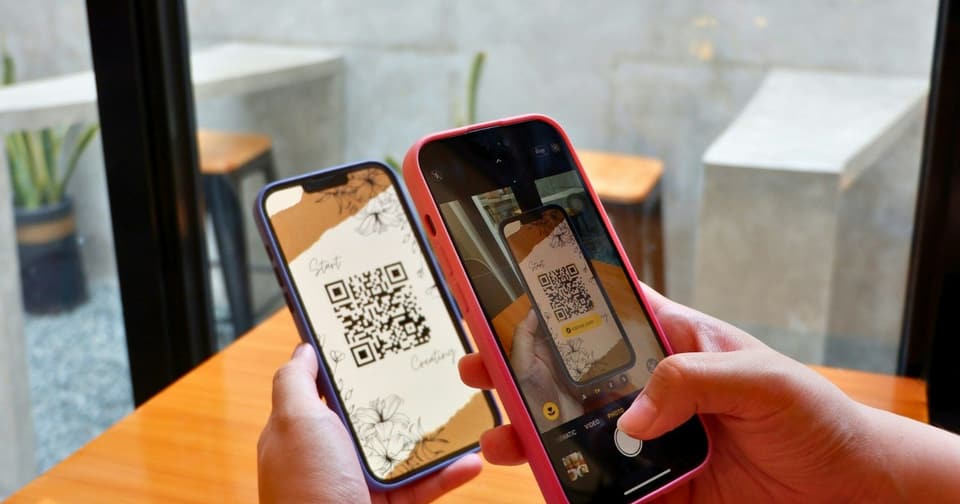 For organizersHow QR Code Event Tickets Work: Creation, Scanning and Check-InHow QR code event tickets are issued and scanned, what each result at the gate means, how repeat scans show up, and how to prepare your check-in team.5 Nov 2026 · 8 min read
 For organizersHow to Sell Event Tickets on WhatsApp in 2027 Without Payment ScreenshotsUse WhatsApp to spread your event and a shared checkout link to take payment. Message templates, reply scripts and ways to stop chasing screenshots in 2027.5 Nov 2026 · 8 min read
 For organizersHow to Organize a Successful Concert in 2027Plan a concert in 2027: the sum to do first, music licences by country, artist agreements, ticket tiers without seat maps, and a gate that keeps moving.5 Nov 2026 · 8 min read


